Your GoPro already recorded
the data. Use it.
Lap times, sector splits and corner-by-corner coaching from footage you have already filmed. No transponder, no data logger, no extra kit on the kart.
Get karttel See what it does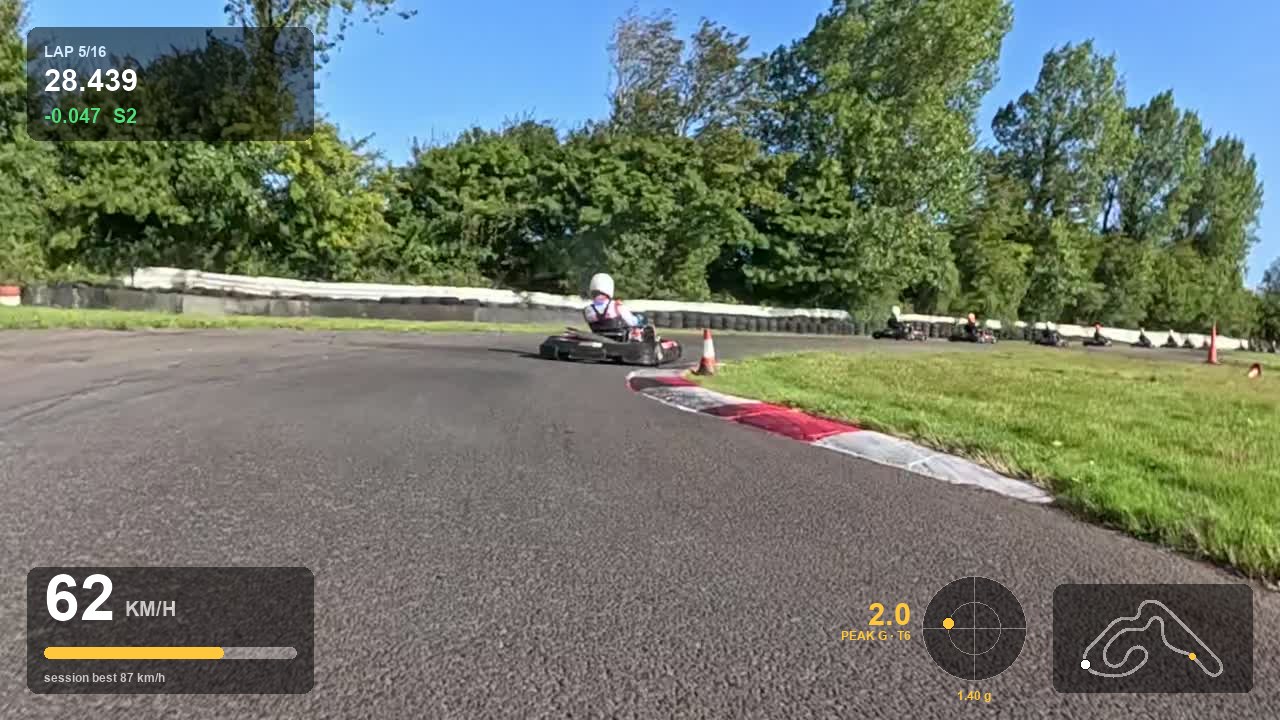
Llandow — lap 5 of 16, four hundredths up in sector 2.
What it does
Every number comes out of the camera's own GPS and motion sensors.
Lap and sector times
Automatic lap detection to within a few hundredths, split into as many sectors as the circuit needs, with your quickest in each marked.
Overlays worth watching
Speed, live delta, g-meter and a circuit map burned onto the video. Export a single lap or the whole session.
Coaching, not just numbers
Why your quickest sector was quickest: where you braked, how much later you turned in, the line you took, and what it was worth.
Your ideal lap, stitched
Your best sectors spliced into one lap you can actually watch, so you can see the time you already know how to find.
Official timing built in
Pull your published lap times straight into the app so the numbers on screen match the numbers on the results sheet.
Works with what you own
GoPro Hero and Max, 360 or ordinary footage, on macOS and Windows. Your recordings never leave your computer.
Mac and PC
One licence covers both, on up to two computers. Download whichever you need — the app is the same either side.
A closer look
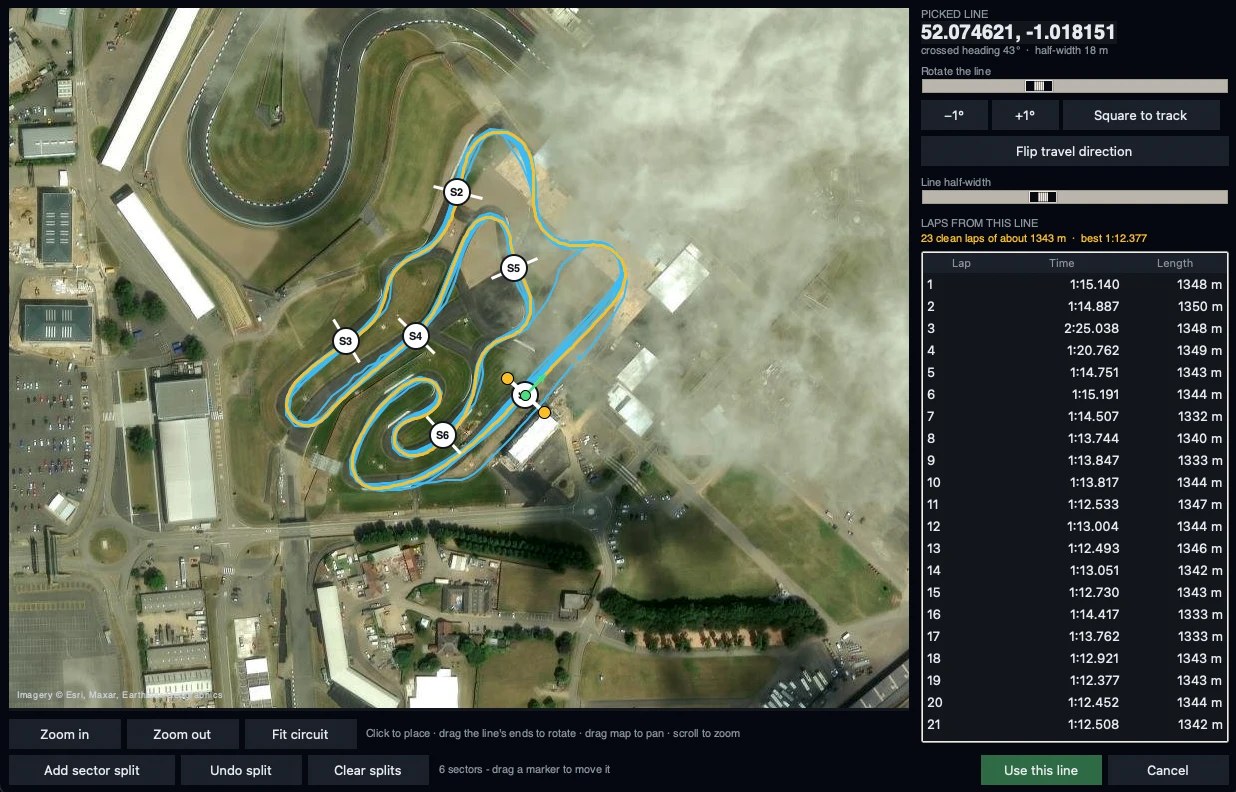
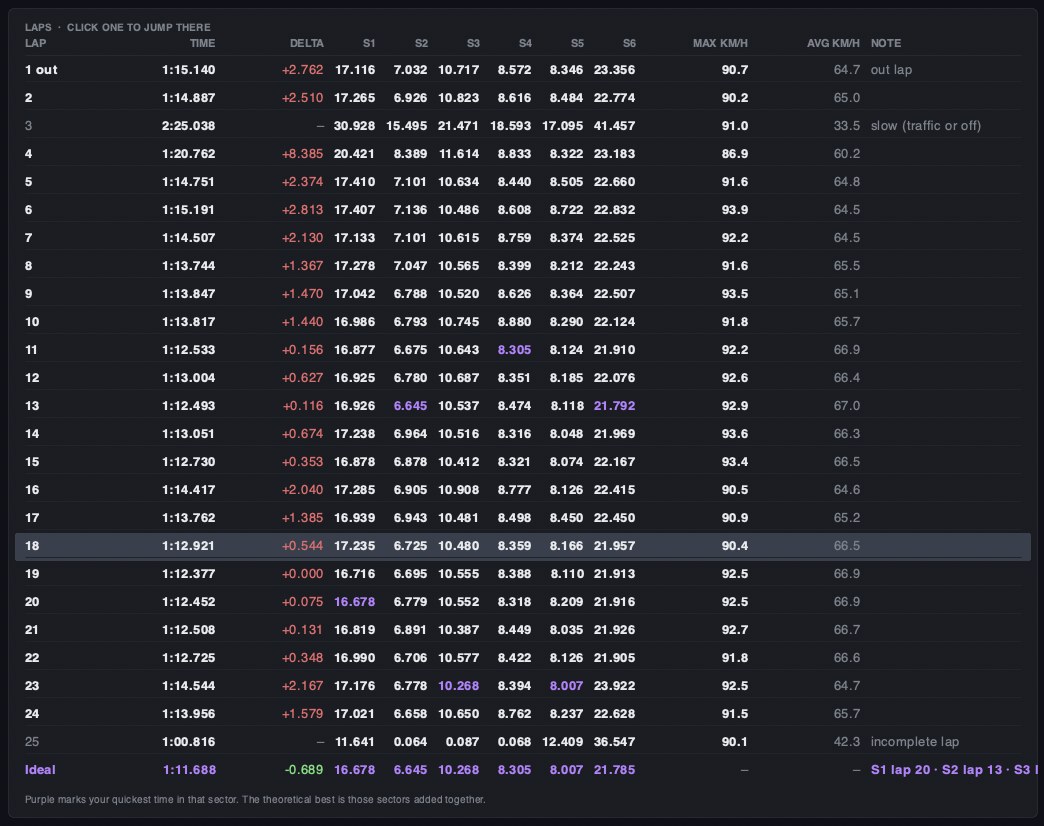
One session at Silverstone, split into six sectors.
Set the timing line once
Drop the start/finish line on a satellite map, drag its ends to square it to the track, add as many sector splits as you want. Lap times appear as you move it, so you can see you have got it right. karttel remembers the circuit and every later recording from that venue times itself.
Every lap, every sector, and the lap you have not driven yet
Times to the thousandth with purple marking your quickest in each sector. The Ideal row adds those bests together — and clicking it plays them back as one lap, cut from whichever lap owns each sector. A lap made of laps.
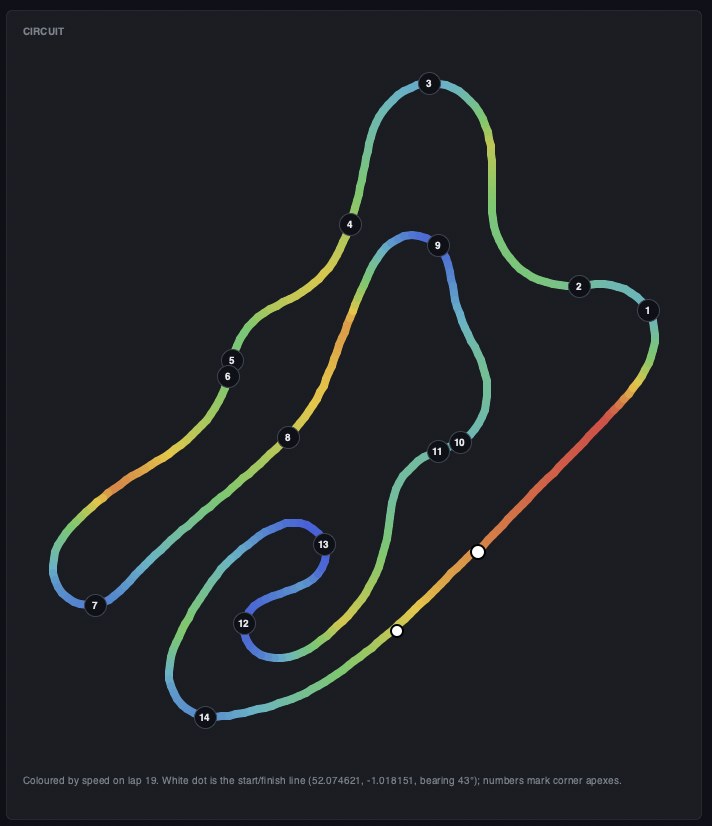
See where the speed is
The circuit drawn from your own GPS and coloured by speed, corners numbered, the timing line marked. Where it turns blue is where the lap time went.
Compare laps properly
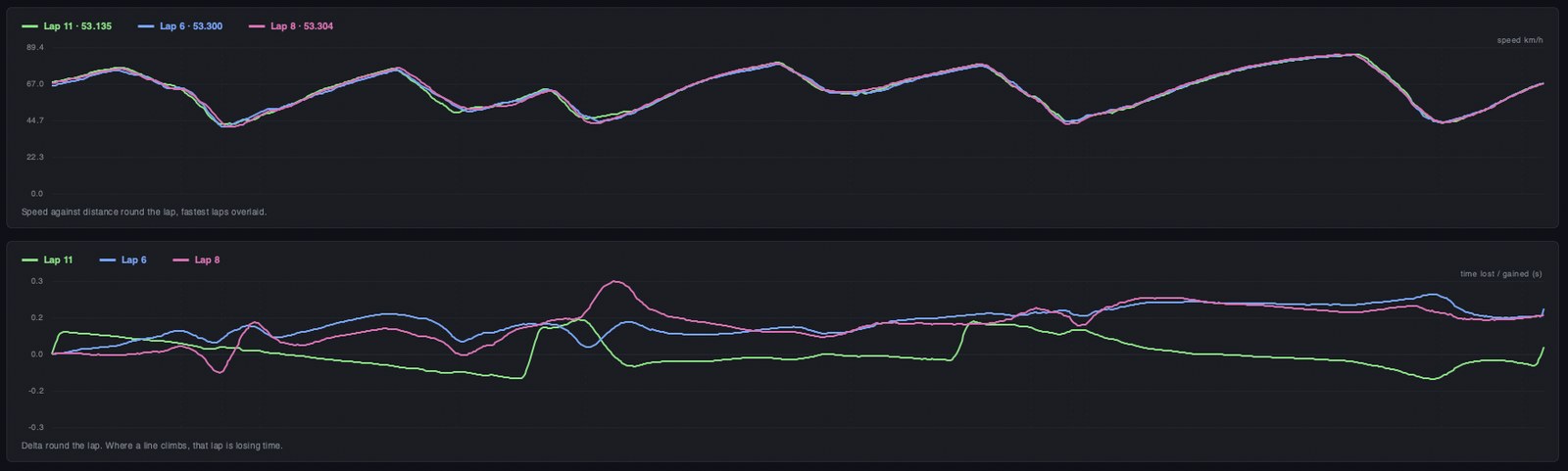
Speed against distance with your quickest laps overlaid, and a delta trace underneath. Where a line climbs, that lap is losing time — and you can see exactly which corner it happened in.
It sorts your footage out for you
GoPro splits a long session into chapters. karttel finds the rest of them, joins them on the camera's own clock and treats the session as one — so the lap that straddles the cut is not lost, and you never think about it. Point it at one file and it does the rest.
Pricing
Pick a plan at checkout. Not what you hoped for? 14-day refund, no argument.
- Everything in karttel
- Two computers
- All updates
- Covers a whole season
Questions
Do I need any extra hardware?
No. karttel reads the GPS and motion data your GoPro already records alongside the video. If you have footage, you have telemetry.
Which cameras work?
GoPro Hero 5 and later, and the Max and Max 2 in 360 mode. Both the older GPS5 format and the newer GPS9 are supported.
Does my footage get uploaded anywhere?
No. Everything is processed on your own computer. The only time karttel uses the internet is to check your licence, fetch map imagery for the circuit picker, and read published timing sheets if you ask it to.
Can I use it on my laptop and my desktop?
Yes — one subscription covers two computers.
Is there a version I only pay for once?
Yes — the one-off licence never expires. It covers two computers and includes every update, with nothing further to pay.
Windows says it protected my PC. What now?
Click More info, then Run anyway. Windows shows that for any program whose publisher it does not recognise yet — it is not saying anything is wrong with the file. You only see it the first time.
macOS says it cannot verify the app. What now?
Open System Settings → Privacy & Security, scroll down, and click Open Anyway next to the karttel message. You only do this once. It happens because karttel is not yet notarized by Apple, which is in hand.
What do I need to run it?
On a Mac: Apple Silicon (M1 or later) on macOS 11 or newer. Intel Macs are not supported yet. On a PC: 64-bit Windows 10 or 11. Nothing else to install — Python, ffmpeg and the rest are inside the download.
Will it work at my circuit?
Anywhere in the world. Set the start/finish line once on the satellite map and karttel remembers it for that venue.